PrintReadyCovers vs Canva for KDP Book Covers
Canva is a versatile general-purpose design tool with a huge template library; PrintReadyCovers is purpose-built for KDP book covers. The key difference: Veritas sets your exact trim, bleed and spine automatically (from your page count) and exports a print-correct 300 DPI file with no watermark and no signup, while in Canva you set the print dimensions yourself and some elements are Pro-only. Want a KDP-ready cover fast and free? Veritas. Want an all-round design app? Canva.
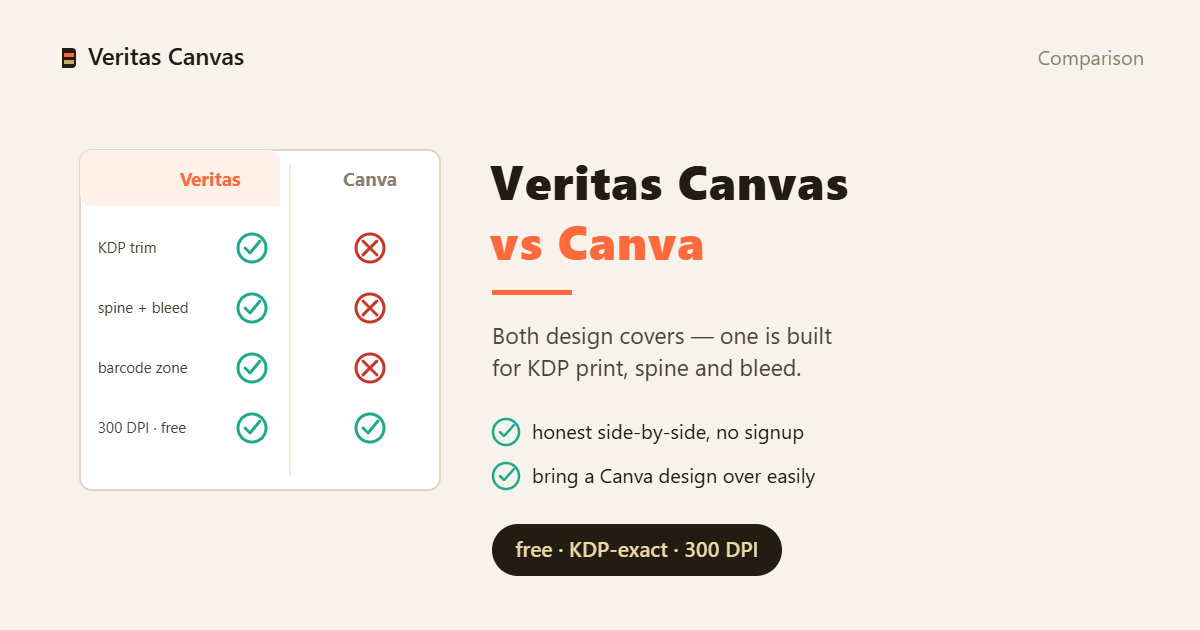
Side-by-side comparison
| Feature | PrintReadyCovers | Canva |
|---|---|---|
| Purpose | KDP book covers | General design |
| Auto KDP trim, bleed & spine | Yes (from page count) | Set manually |
| Full wrap (front+spine+back) | Built-in | Manual setup |
| 300 DPI print export | Yes | Yes |
| Watermark-free export | Always | Some premium elements watermarked |
| Signup required | No | Free account required |
| Price | Free (AI art: paid credits) | Free tier + paid Pro |
| Best for | Print-ready KDP covers | All-round design |
The core difference: general vs KDP-built
Canva is built to design almost anything — social posts, slides, flyers. That breadth is its strength, but a KDP cover is just one of a thousand use cases, and the print setup (exact trim, 0.125 in bleed, a spine sized to your page count) is on you. PrintReadyCovers does one job: it starts from your KDP trim and page count, builds the correct canvas with bleed and spine, and keeps everything print-correct.
Where Canva is the better pick
If you need a general design tool across many formats — marketing graphics, ads, social — Canva's library and versatility are hard to beat, and its free tier covers a lot. For an author already living in Canva who wants everything in one place, it's a reasonable home for cover work too, as long as you're comfortable setting the print specs yourself.
Where PrintReadyCovers wins
For the specific job of a print-ready KDP cover, Veritas removes the failure points: no manual spine math, no wrong trim, no missing bleed, no surprise watermark, no account to create. It's free with no premium tier gating the export, and the whole flow aims at one outcome — a 300 DPI full-wrap file built to KDP's print specs.